How to Edit Photo EXIF Metadata & GPS on Android
Learn how to view, edit, and remove sensitive EXIF data, timestamps, and GPS locations from your photos before sharing them online.

Every time you take a photo with your smartphone or digital camera, a hidden layer of data—known as EXIF metadata—is embedded into the image file. This data includes the exact date and time the photo was taken, the camera model, exposure settings, and often, the precise GPS coordinates of where you were standing.
While this data is useful for organizing your gallery, it poses a significant privacy risk if you share the original photo online. Furthermore, if you've scanned old photos or imported them from another device, the timestamps might be completely wrong. In this guide, we'll show you how to view, edit, and strip EXIF data on your Android device.
[!TIP] ⚡ Quick Answer: How to do it? Simple 3-step guide using Photo EXIF Editor - Edit Metadata & GPS offline:
- Launch App: Open the application on your Android device.
- Select Files: Choose the photos or documents from your gallery.
- Convert: Adjust settings and tap convert. The process completes locally on your phone to keep your files secure.
📊 Comparison: Local Android App vs. Online Converters
| Feature | BTTC Offline App | Online Web Tools |
|---|---|---|
| Internet Required | No (100% Offline) | Yes (Required) |
| Privacy & Security | Safe (Files stay on device) | Risk (Files uploaded to cloud) |
| Processing Speed | Instant (Device hardware) | Slow (Depends on upload speed) |
| File Size Limit | No Limit | Usually restricted (< 50MB) |
| Batch conversion | Supported for free | Often paid/pro feature |
Why Edit or Remove EXIF Data?
- Privacy: Prevent strangers on social media or messaging apps from tracking your exact home address or location history.
- Organization: Fix incorrect timestamps on scanned, downloaded, or transferred photos so they sort properly in your gallery.
- Copyright: Add your name and copyright information directly into the image file.
Step-by-Step Guide
We'll use the Photo EXIF Editor app, a comprehensive tool that allows you to manage all hidden metadata.
1. Open Photo EXIF Editor
Download and open the app. The app automatically scans your device to display your photo library.
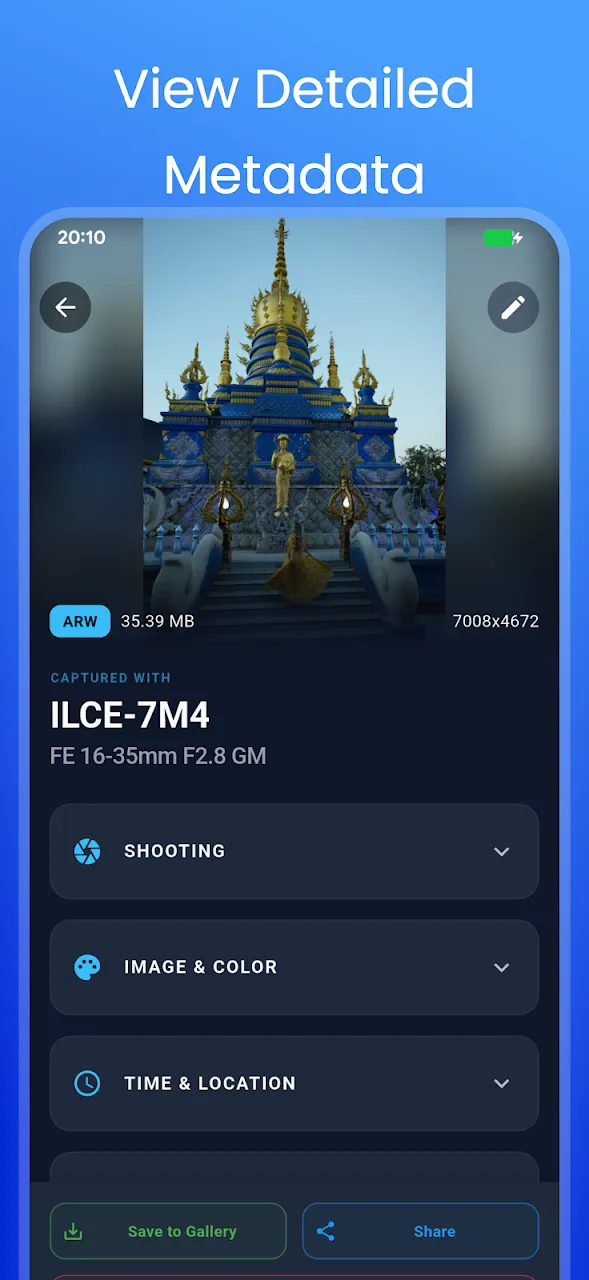
2. View the Hidden Metadata
Select a photo to view its embedded EXIF data. You'll be able to see the capture time, camera manufacturer, ISO, aperture, and a map showing the exact GPS location where the photo was taken.
3. Edit Timestamps and Details
Tap the edit icon to modify the data. You can easily fix incorrect dates and times. You can also manually change the camera information or add artist copyright tags.
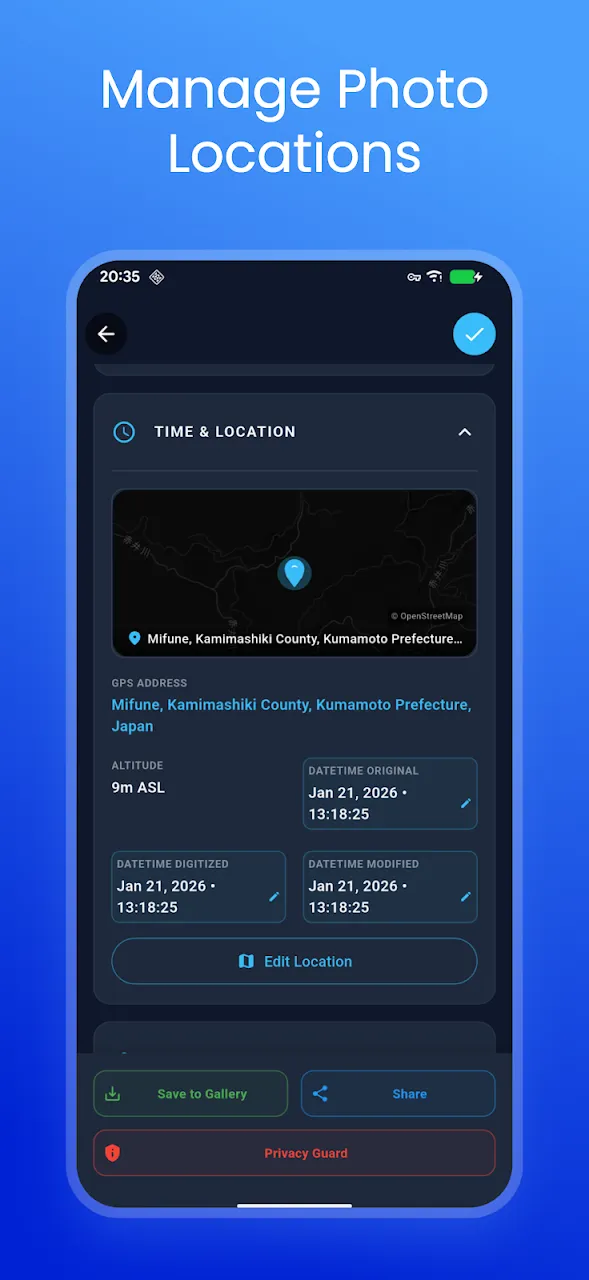
4. Modify or Remove GPS Location
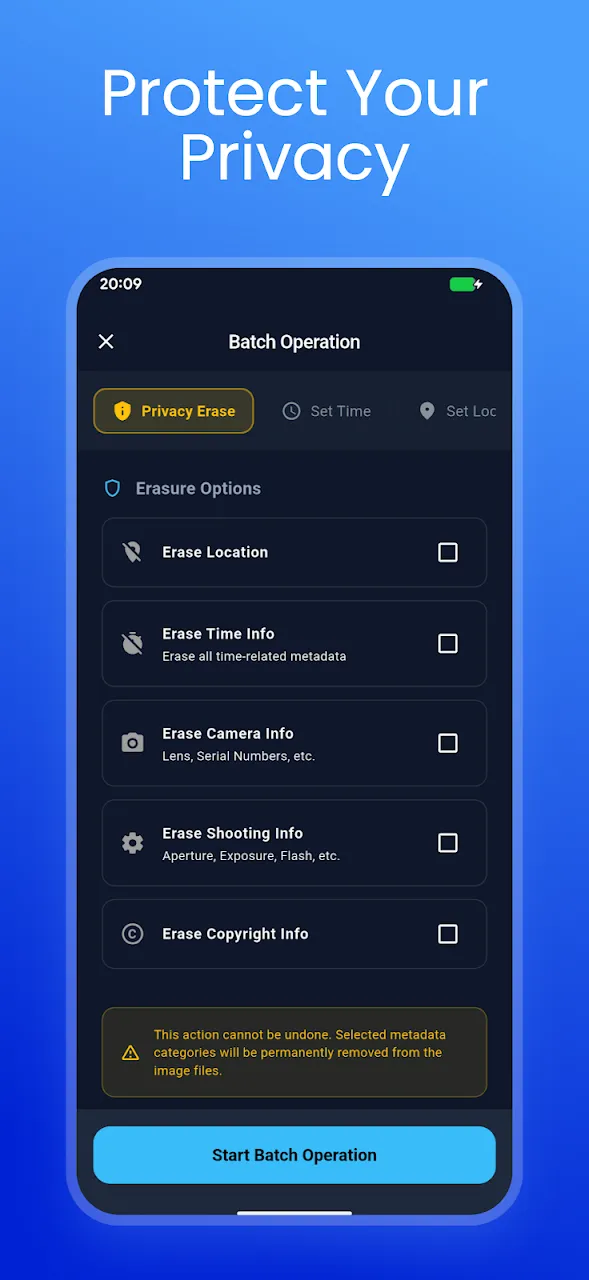
If the photo has a location tag, you can edit the coordinates to a different place. More importantly, if you plan to share the photo publicly, you can completely erase the GPS data with a single tap to protect your privacy.

5. Batch Edit Multiple Photos
If you traveled to a different time zone and forgot to update your camera's clock, the app's batch editing feature is a lifesaver. You can select an entire album and shift all their timestamps forward or backward by a specific offset, or remove the GPS data from 50 photos at once.

Conclusion
Taking control of your photo's metadata is crucial for both digital organization and personal privacy. With a dedicated EXIF editor, you can ensure your gallery is perfectly sorted and safely share your memories without leaking your location.
📥 Download the App to Start Converting Offline
Ready to try it? Get the official app on the Google Play Store for secure, offline processing.